
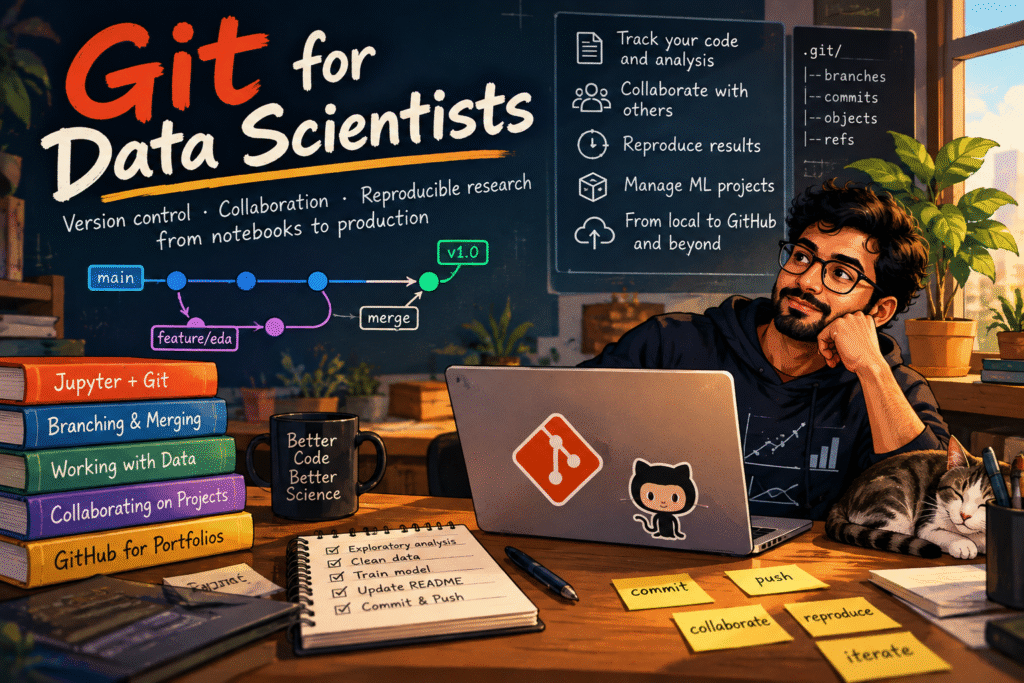
I once watched a junior data scientist spend three days trying to recreate a model that had been “slightly tweaked” by a colleague. The code ran, the metrics looked familiar, but the feature importance had shifted in ways nobody could explain. The original developer had moved to another team, and their local changes were lost to the digital ether. That’s when I realized: data scientists who treat Git as optional are playing Russian roulette with their work.
Why This Topic Matters
Version control isn’t just for software engineers anymore. In data science, your code, data, models, and experiments form a complex ecosystem that demands systematic tracking. Git provides the foundational layer for reproducibility, collaboration, and auditability that separates amateur projects from professional machine learning pipelines.
The transformation is simple but profound: move from chaotic “finalmodel 7fixed really.py” files to a structured workflow where every experiment is documented, every model version is traceable, and team collaboration becomes predictable rather than painful.
The Data Scientist’s Git Mindset Shift
From Code Repository to Experiment Tracker
Traditional software developers use Git to track code changes. Data scientists need to track the entire experimental lifecycle:
- Code changes (feature engineering, model architectures)
- Data versions (training datasets, validation splits)
- Model artifacts (weights, parameters, metrics)
- Environment configurations (dependencies, hardware specs)
Think of Git as your lab notebook on steroids—it captures not just what you did, but when, why, and in what context.
The Three Pillars of DS Git Workflow
Reproducibility: Any team member should be able to recreate your exact model with a single command.
Collaboration: Multiple data scientists can work on features without stepping on each other’s experiments.
Audit Trail: Regulatory requirements and model governance demand traceability from raw data to production model.
Core Git Concepts Reimagined for Data Science
Commits: Your Experimental Checkpoints
In data science, commits should represent logical experimental units, not arbitrary code changes:
# Bad commit message
git commit -m "fixed bug"

# Good commit message
git commit -m "experiment: random forest with feature set B - AUC: 0.89"
Each commit should tell a story: what hypothesis you tested, what data you used, and what results you achieved.
Branches: Parallel Experimentation Lanes
Branches aren’t just for features—they’re your experimental playgrounds:
# Create experiment branches
git checkout -b experiment/feature-engineering-v2
git checkout -b experiment/hyperparameter-tuning

# Merge successful experiments
git checkout main
git merge --no-ff experiment/hyperparameter-tuning
This approach lets you test multiple hypotheses simultaneously without contaminating your main development line.
The .gitignore File: Your First Line of Defense
Data scientists generate massive files that don’t belong in Git:
# Data files
*.csv
*.parquet
*.h5

# Model artifacts
*.pkl
*.joblib
*.h5

# Environment and cache
.env
.cache/
__pycache__/

# Jupyter notebooks outputs
.ipynb_checkpoints/
Remember: Git is for tracking changes, not storing binary blobs.
Git Tools That Actually Matter for Data Science
Git LFS: Handling Large Files Gracefully
When you absolutely must version large files, Git Large File Storage (LFS) replaces them with text pointers:
# Install and configure Git LFS
git lfs install
git lfs track "*.pkl"
git lfs track "models/*.h5"

# Now these files won't bloat your repository
git add .
git commit -m "Add model artifacts via LFS"
Git Hooks: Automated Quality Control
Pre-commit hooks can save you from common data science mistakes:
#!/bin/bash
# .git/hooks/pre-commit

# Check for large files
if find . -name "*.csv" -size +10M | grep -q .; then
    echo "Warning: Large CSV files detected. Consider using Git LFS."
    exit 1
fi

# Check for hardcoded paths
if git diff --cached --name-only | xargs grep -l "/home/user/data"; then
    echo "Error: Hardcoded paths detected. Use relative paths or environment variables."
    exit 1
fi
Branching Strategies That Scale
The Experiment-Feature-Main Trifecta
main branch: Production-ready code and models
feature/ branches: New capabilities and improvements
experiment/ branches: High-risk, exploratory work
This separation prevents experimental chaos from infecting your stable codebase.
The Release Candidate Pattern
When preparing models for production:
# Create release candidate from main
git checkout -b release/v1.2.0

# Final testing and validation
# Fix any issues directly in release branch

# Tag the release
git tag -a v1.2.0 -m "Model release v1.2.0 - AUC: 0.92"
Practical Implementation: A Data Science Git Workflow
Daily Development Cycle
# Morning: Start fresh
git checkout main
git pull origin main
git checkout -b feature/new-preprocessing

# Work session with frequent commits
git add preprocessing.py
git commit -m "feat: add robust scaling with outlier handling"

# After testing
git add test_preprocessing.py
git commit -m "test: validation for scaling edge cases"

# End of day: Push and create PR
git push origin feature/new-preprocessing
Experimental Workflow
# Start experiment
git checkout main
git checkout -b experiment/neural-architecture-search

# Track experiment parameters in code
with open("experiment_params.json", "w") as f:
    json.dump({
        "architecture": "transformer",
        "dataset_version": "2024-01-15",
        "hyperparameters": {...}
    }, f)

git add experiment_params.json
git commit -m "experiment: transformer architecture baseline"
Common Pitfalls and How to Avoid Them
The “Giant Commit” Anti-Pattern
Mistake: Committing weeks of work in one massive changeset.
Solution: Commit logical units—each feature, each experiment, each bug fix.
Data Scientist’s Amnesia
Mistake: Forgetting what each commit actually did.
Solution: Write commit messages that your future self will understand:
# Bad
git commit -m "update model"

# Good
git commit -m "model: xgboost with early stopping - validation AUC: 0.915"
Repository Bloat
Mistake: Checking in massive datasets and model files.
Solution: Use Git LFS for essential binaries, external storage for everything else.
Advanced Git Techniques for ML Teams
Bisect: Finding When Models Broke
When a model’s performance degrades, use git bisect to find the offending commit:
git bisect start
git bisect bad  # Current broken state
git bisect good v1.0  # Last known good version

# Git automatically checks out commits for testing
python evaluate_model.py

# Mark each commit as good or bad
git bisect good  # or git bisect bad

# Git identifies the first bad commit
Submodules: Managing Multi-Repo Projects
For complex ML systems with separate data processing, training, and serving components:
git submodule add https://github.com/team/data-preprocessing
git submodule update --init --recursive
Integration With ML-Specific Tools
Git + DVC: The Dynamic Duo
While Git handles code, DVC (Data Version Control) manages data and models:
# dvc.yaml
stages:
  prepare:
    cmd: python src/prepare.py
    deps:
      - src/prepare.py
      - data/raw
    outs:
      - data/prepared

  train:
    cmd: python src/train.py
    deps:
      - src/train.py
      - data/prepared
    outs:
      - model.pkl
Git + MLflow: Experiment Tracking
MLflow automatically logs Git commit hashes with your experiments:
import mlflow

with mlflow.start_run():
    mlflow.log_param("git_commit", get_git_commit_hash())
    # Your training code here
Debugging and Pitfalls
The Merge Conflict Nightmare
Data scientists often encounter conflicts in:
- Configuration files (different hyperparameters)
- Notebooks (JSON merge conflicts)
- Data paths (local vs cloud storage)
Solution: Establish clear conventions and use tools like nbdiff for notebooks.
The Detached HEAD Dilemma
Scenario: You checkout a specific commit to reproduce results, then keep working.
Fix: Always create a branch when investigating historical commits:
git checkout <commit-hash>
git checkout -b investigation/failed-experiment
Future Outlook: Git in the MLOps Era
As machine learning moves from research to engineering discipline, Git becomes the backbone of MLOps pipelines. We’re seeing emergence of:
- GitOps for ML: Infrastructure as code for model deployment
- Automated versioning: CI/CD pipelines that automatically version successful experiments
- Regulatory compliance: Audit trails that satisfy GDPR and financial regulations
The data scientist who masters Git today positions themselves as the ML engineer of tomorrow.
Summary: Key Takeaways
- Treat commits as experimental checkpoints, not code dumps
- Use branches for parallel experimentation without contamination
- Leverage Git LFS for essential large files, but keep data external
- Write descriptive commit messages that tell the experiment story
- Integrate Git with ML tools like DVC and MLflow for complete tracking
Think of Git as the foundation upon which reproducible, collaborative data science is built—the laboratory notebook that never forgets and always tells the truth.
Actionable Next Steps
- Audit your current project: How would you recreate last month’s best model?
- Implement the experiment branching strategy on your next project
- Set up Git hooks to prevent common data science mistakes
- Practice git bisect on a known bug to understand the debugging power
References & Further Reading
- Pro Git Book – The definitive Git reference
- DVC Documentation – Data version control for machine learning
- MLflow Documentation – Experiment tracking and model management
- “Git for Scientists” by Greg Wilson – Version control best practices for research
- Google’s “Rules of Machine Learning” – Engineering best practices including version control
Related posts:
 Version Control and Experiment Tracking for Data Scientists: From Chaos to Clarity
 Lean path to become a successful data scientist
 The Art of Python One-Liners: How Data Scientists Write Less Code to Solve More Problems
 The Unseen Architects of Reality: How Discrete Probability Distributions Govern Your Digital World
Leave a Reply